
Live Monitor
Minute-by-minute machine grid with RPM, counters, run status, and faults in one premium command centre.
Loading...
Industrial intelligence for circular knitting machines. Live monitoring, worker codes, alerts, and reports—built for Windows and Mac, with the same workspace available on the web.
Live monitoring, machine details, alerts, workers, reports, performance, and maintenance. One familiar workspace on Windows and Mac.
Choose your computer. The desktop app is available for Windows and Apple silicon Mac.
Prefer your browser? Open the same Control System screens on the web. No installation needed.
See what is happening now. Understand what happened before. Keep machines, people, and production connected in one familiar workspace.
Minute-by-minute machine grid with RPM, counters, run status, and faults in one premium command centre.
Fault, offline, and reconnection notifications in the Control System inbox so problems do not stay hidden on the floor.
Per-machine live data, faults, worker context, and RPM history charts for focused investigation.
Map worker codes used on the machine panel to real names, track shifts and hand-overs, and see who was on which machine without paper logs.
Production, shift, fault, efficiency, and performance style reports exported as branded PDFs your office can actually use.
See which machines run well, which stop too often, and keep maintenance context next to live production reality.
iOS and Android companion apps are coming soon. Use the full Control System on Windows, Mac, or in your browser today.
Start with a full Control System experience — then keep only what your factory needs after the trial window.
Secure cloud accounts, factory ownership controls, and protected access so your production data stays yours.
Machine terminals, the factory gateway, and your Control System workspace. Every part works together to bring the floor into focus.
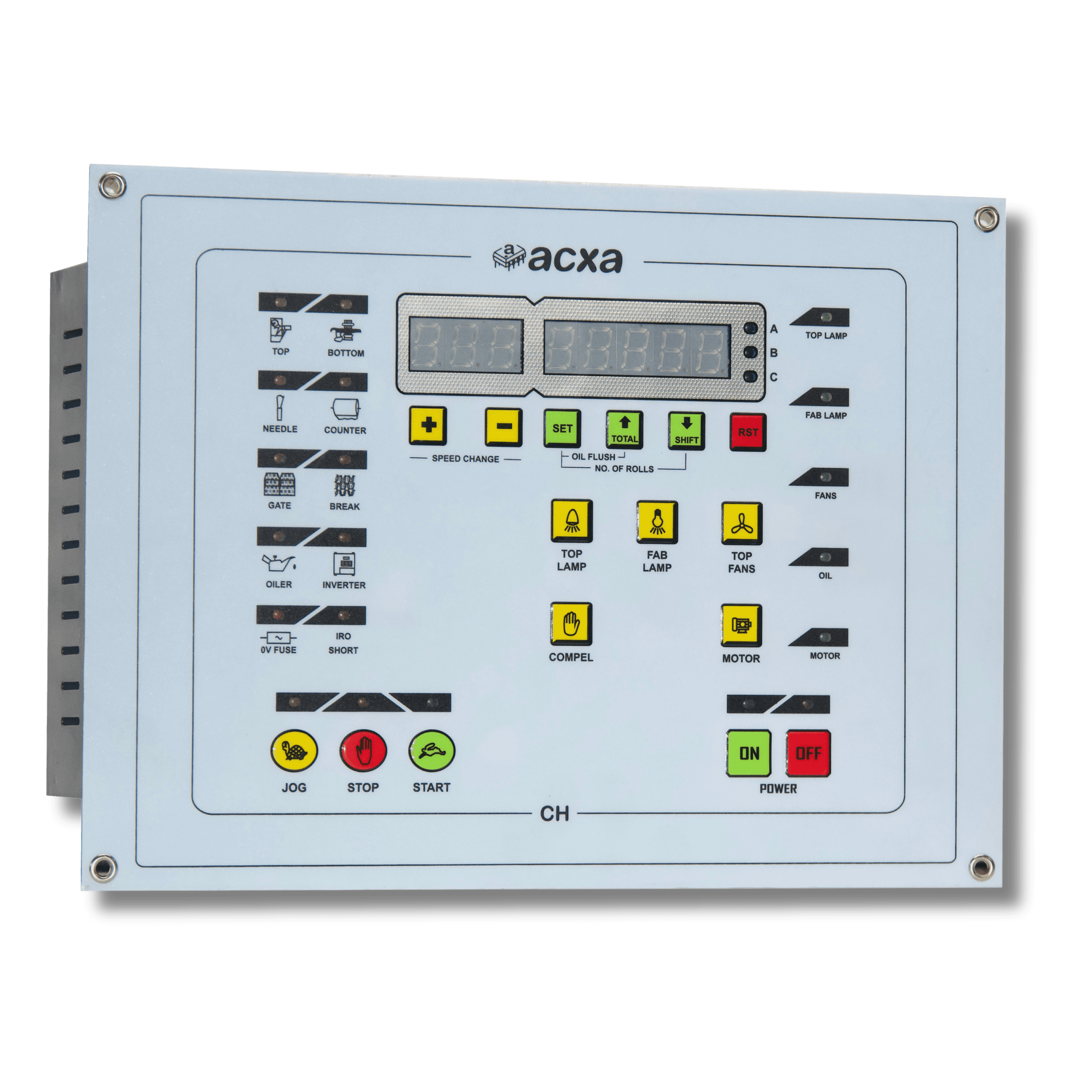
Wireless machine connectivity · WiFi + 4G gateway connectivity · Protected offline production buffer
A dedicated industrial machine terminal tracks the signals that matter on the knitting floor: production counters, fault status, machine run state, and live behaviour — so you are not guessing what each machine is doing.
The Machine Data Terminal does more than relay counts. Workers identify themselves on the panel with worker codes, shift hand-offs stay attached to the right machine, and local buffering keeps production data protected during connectivity outages before the gateway uploads it.
One Gateway is configured around your hall layout, collecting machine data continuously and syncing with the cloud. Dual connectivity options and offline protection keep the line story intact when the network is imperfect.
Factory data is turned into clear dashboards, alerts, reports, and secure account management — without asking your team to run their own servers. History, alerts, and sharing stay ready for owners and managers.
ACXA Control System on Windows, Mac, and the web is the factory command centre: Live, Alerts, Machines, Workers, Reports, Performance, Maintenance, and Settings. Phone apps for iOS and Android are coming soon.
Connected devices can receive remote software updates without a factory visit when ACXA deploys them.
Start with the whole floor. Open the machine that needs your attention. Move from a live status to its shift, stops, workers, and history in the same workspace.
Search the machine grid or open an alert to see where attention is needed.
Bring live values, worker activity, stops, and history together on one machine screen.
Compare performance and create professional reports from the same desktop workspace.
Windows and Mac are ready today. Browser access is available through Web login.
Get the desktop appA clear path to a connected floor. Start with your factory account and a true 15-day free trial.
Register your factory owner account and verify your email so access is secure.
Link the gateway IDs printed on your ACXA devices to your factory.
Set your factory name, timezone, shifts, and machine labels.
Your first eligible factory starts with 15 days of full access, then continues with a plan that fits your machine count.
Owners and managers of knitting factories who want live visibility of connected machines, clearer alerts, structured reports, and phone access, without standing on every machine all day.
Full Control System access for 15 days after your factory starts, typically when the first gateway is claimed and the factory is eligible. One free trial window per factory.
Yes. Download ACXA Control System for Windows or Mac, or use Web login. The browser uses the same Control System screens, with computer-specific controls removed.
Phone apps for iOS and Android are coming soon. ACXA Control System for Windows and Mac is the main product today. You can also use the same workspace in your browser.
Use WhatsApp at +91 98159 83167 or the Contact page. We can walk you through the Control System for your factory floor.
Without ACXA, it disappears. Let us help you turn it into intelligence. Download Control System for your computer, or talk to us about connecting your factory.