
Loading...
Loading...
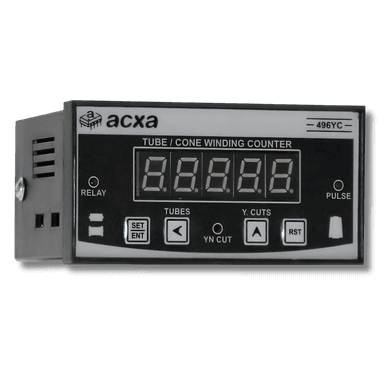
Install the 496YC counter on your cone or tube winding machine. Wiring guide for sensor, motor relay, and GREEN plug connections.
Disconnect the main power supply to the winding machine. Ensure the motor has stopped completely before proceeding.
Cut a 92x92mm panel cutout (or use the existing DIN cutout). Insert the 496YC from the front and secure with the provided rear clips.
Connect 230V AC to the designated power terminals. The 496YC accepts 90-265V AC input. Follow the wiring guide for terminal assignments.
Ensure correct polarity. Reversed connections can damage the unit.
Wire the proximity sensor or magnetic sensor to the sensor input terminals. For Reshmi machines, use the hall-effect sensor provided with the kit.
Keep sensor wires away from motor power cables to avoid false counts from electrical noise.
The GREEN plug carries the yarn-cut detection and motor relay signals. Match each wire color to the terminal diagram. The green plug is keyed - it only fits one way.
If the plug does not seat fully, do not force it. Check for bent pins.
Apply power. Set the target count, yarn-cut sensitivity, and batch parameters using the front panel buttons. Refer to the operation manual for detailed menu navigation.